Aadhaar Mobile Number Update: Complete Guide to Change Mobile Number in Aadhaar
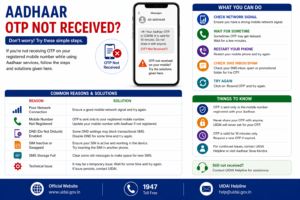
A mobile number linked with Aadhaar plays a very important role in accessing many Aadhaar services. Several Aadhaar-related activities such as downloading e-Aadhaar, updating Aadhaar details, checking Aadhaar status, and performing online authentication require OTP verification through the registered mobile number.
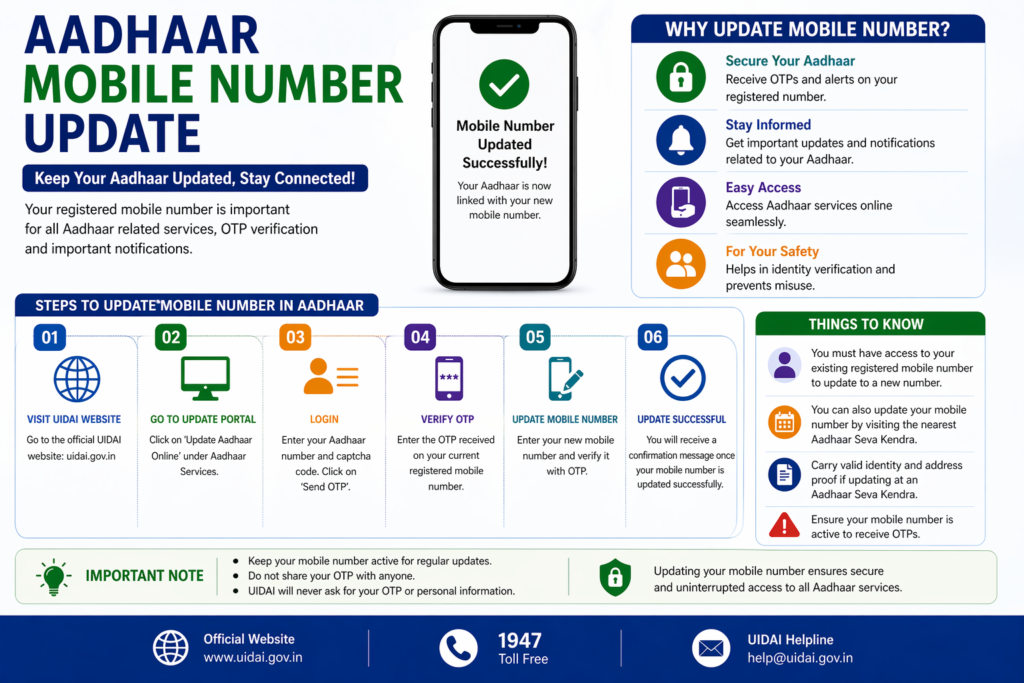
If your mobile number has changed or if the number linked with Aadhaar is no longer active, it becomes necessary to update the mobile number in the Aadhaar database. The Unique Identification Authority of India (UIDAI) allows residents to update or change their registered mobile number through Aadhaar enrollment centers.
Updating the mobile number ensures that residents can continue to access Aadhaar services smoothly and receive authentication messages whenever required.
This guide explains how to update the mobile number in Aadhaar, where the update can be done, the documents required, and the steps involved in the process.
Why Mobile Number is Important in Aadhaar
The mobile number registered with Aadhaar is used for authentication and security purposes. UIDAI sends One Time Passwords (OTP) to the registered mobile number whenever a person tries to access Aadhaar services online.
This OTP verification ensures that only the Aadhaar holder can access or modify their Aadhaar information.
Some common Aadhaar services that require a registered mobile number include:
- Downloading e-Aadhaar
- Checking Aadhaar update status
- Updating Aadhaar details online
- Generating Aadhaar Virtual ID
- Locking or unlocking Aadhaar biometrics
- Accessing Aadhaar services through the mAadhaar mobile app
Without a registered mobile number, these services may not function properly.
When You Need to Update Aadhaar Mobile Number
There are several situations where updating the mobile number linked with Aadhaar becomes necessary.
For example, if a resident changes their mobile number or if the previously registered mobile number is no longer active, Aadhaar services that rely on OTP verification may stop working.
Mobile number update may also be required when the Aadhaar card was created many years ago and the mobile number used at that time is no longer in use.
Updating the mobile number ensures that all Aadhaar services remain accessible and secure.
Can Aadhaar Mobile Number Be Updated Online
Currently, UIDAI requires residents to visit an Aadhaar enrollment center or Aadhaar Seva Kendra to update or change the mobile number linked with Aadhaar.
Unlike address updates, which can sometimes be done online, mobile number updates require biometric verification to confirm the identity of the Aadhaar holder.
Because of this verification requirement, the update must be completed in person at an authorized Aadhaar center.
Documents Required for Aadhaar Mobile Number Update
In most cases, updating the mobile number in Aadhaar does not require submitting additional identity documents because the resident’s identity is verified through biometric authentication.
However, residents should carry their Aadhaar number or Aadhaar card when visiting the Aadhaar enrollment center.
In some situations, the operator may request basic identification information to confirm the Aadhaar record.
Steps to Update Mobile Number in Aadhaar
The process of updating the mobile number in Aadhaar is simple and usually takes only a few minutes at an Aadhaar enrollment center.
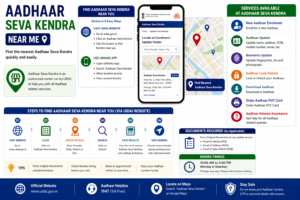
Step 1: Visit the Nearest Aadhaar Enrollment Center
Locate the nearest Aadhaar enrollment center or Aadhaar Seva Kendra. UIDAI provides an online tool that helps residents find the closest Aadhaar center.
Step 2: Fill the Aadhaar Update Form
At the center, request the Aadhaar update form and fill in the required information including the Aadhaar number and the new mobile number.
Step 3: Submit the Update Request
Submit the completed form to the Aadhaar operator for processing.
Step 4: Biometric Verification
The operator will verify your identity through fingerprint or iris authentication.
Step 5: Pay the Update Fee
A small service fee may be charged for updating Aadhaar details.
Step 6: Receive Update Receipt
After completing the process, the operator will provide an acknowledgement receipt containing the Update Request Number (URN).
This number can be used to track the update status.
How to Check Aadhaar Mobile Number Update Status
After submitting the mobile number update request, residents can track the progress online.
To check the update status:
- Visit the UIDAI website.
- Navigate to the section for Aadhaar update status.
- Enter the Update Request Number mentioned on the receipt.
- Enter the captcha code and submit the request.
The system will display the current status of the mobile number update request.
How Long Aadhaar Mobile Number Update Takes
Once the update request is submitted at the Aadhaar center, UIDAI processes the request and updates the Aadhaar database after verification.
The processing time may vary depending on verification procedures. In many cases, the update is completed within a few days.
After the mobile number has been successfully updated, the new number will start receiving OTP messages for Aadhaar services.
Benefits of Updating Aadhaar Mobile Number
Updating the mobile number linked with Aadhaar provides several advantages.
Access to Aadhaar Online Services
Residents can use Aadhaar services such as downloading Aadhaar or updating details online once the mobile number is registered.
Secure Authentication
OTP verification ensures that Aadhaar services are accessed only by the rightful Aadhaar holder.
Easy Status Tracking
Many Aadhaar requests and updates can be tracked through OTP verification.
Access to mAadhaar App
The registered mobile number allows residents to use the official mAadhaar mobile application.
Keeping the mobile number updated helps ensure that Aadhaar services remain secure and accessible.
Common Problems While Updating Aadhaar Mobile Number
Some residents may face certain difficulties during the mobile number update process.
Incorrect Mobile Number Entry
Entering an incorrect mobile number during the update process may prevent OTP messages from being received later.
Biometric Verification Failure
Sometimes biometric authentication may fail due to fingerprint issues. In such cases, the operator may try alternate verification methods.
Aadhaar Center Crowd
Many Aadhaar centers may experience high visitor traffic, which may cause waiting times.
Planning the visit during less busy hours can help complete the process quickly.
Tips for Smooth Aadhaar Mobile Number Update
Residents can make the update process easier by following a few simple suggestions.
Carry the Aadhaar card or Aadhaar number when visiting the center. Ensure that the new mobile number is active and accessible.
Check the details carefully before submitting the update form to avoid mistakes.
After the update is completed, keep the acknowledgement receipt safely until the update status is confirmed.
Related Aadhaar Services
After updating the mobile number, residents can access several Aadhaar services more easily.
These services include:
- Download Aadhaar card
- Check Aadhaar card status
- Update Aadhaar address
- Order PVC Aadhaar card
- Lock or unlock Aadhaar biometrics
Having a registered mobile number ensures that these services work smoothly.
Frequently Asked Questions
Can Aadhaar mobile number be updated online
Currently, the mobile number linked with Aadhaar can only be updated at an Aadhaar enrollment center.
Is mobile number required for Aadhaar services
Yes, many Aadhaar services require OTP verification through the registered mobile number.
Do I need documents to update mobile number
In most cases, biometric verification is sufficient and additional documents are not required.
How long does Aadhaar mobile update take
The update usually takes a few days after the request is submitted.
Conclusion
Updating the mobile number linked with Aadhaar is important for accessing many Aadhaar services that require OTP verification. UIDAI allows residents to update their mobile number through authorized Aadhaar enrollment centers where biometric verification ensures that the request is secure. By keeping the mobile number linked with Aadhaar updated, residents can continue using Aadhaar services such as downloading Aadhaar, updating personal details, and accessing digital authentication without difficulty.
Disclaimer: The Aadhaar-related information provided on this website is for general informational purposes only. For official updates, services, and verified details, please visit the UIDAI official website.