Download Aadhaar Without Mobile Number: Complete Guide to Get Aadhaar Card Without Registered Mobile
The Aadhaar card is one of the most important identity documents used by residents of India. Many Aadhaar services such as downloading e-Aadhaar, updating Aadhaar details, and accessing Aadhaar authentication require verification through a registered mobile number.
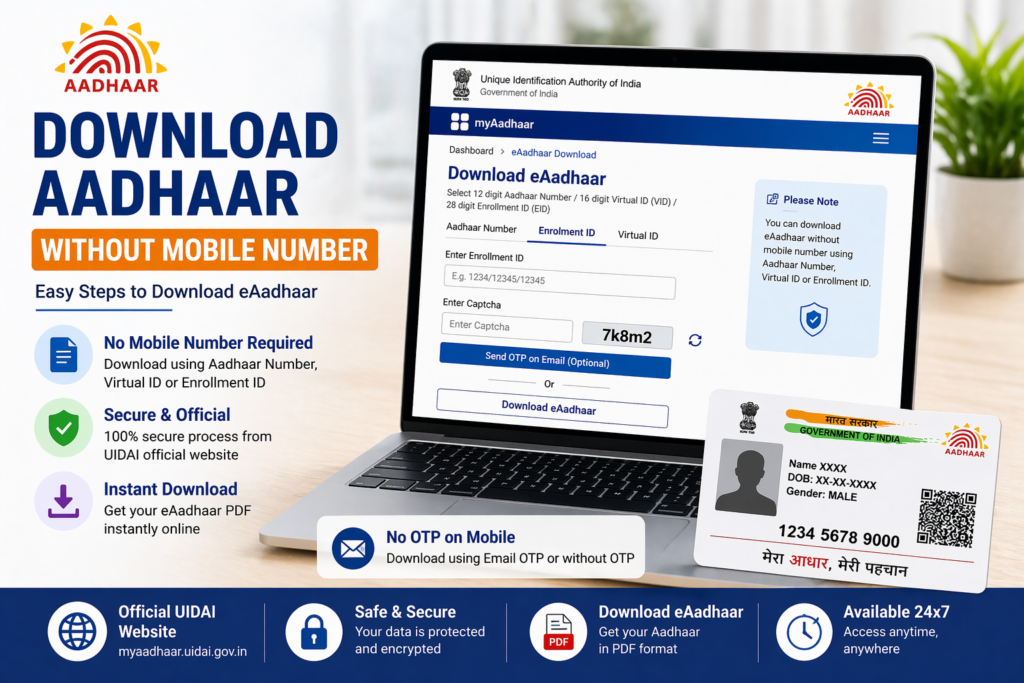
However, there are situations where the mobile number linked with Aadhaar is no longer available. A person may have changed their phone number, lost access to the old mobile number, or may not have registered a mobile number during Aadhaar enrollment.
In such cases, residents often wonder whether it is still possible to download their Aadhaar card without a registered mobile number.
Although the standard online download process requires OTP verification through the registered mobile number, there are alternative methods that allow residents to obtain their Aadhaar card even if the mobile number is not linked or is no longer active.
This guide explains how Aadhaar can be downloaded without a registered mobile number, the available options, and the steps residents can follow to access their Aadhaar card.
Why Mobile Number is Required for Aadhaar Download
The Aadhaar system uses mobile number verification as an additional layer of security. When a resident attempts to download the Aadhaar card from the UIDAI website, an OTP (One Time Password) is sent to the registered mobile number linked with the Aadhaar record.
This OTP confirms that the person downloading the Aadhaar card is the rightful Aadhaar holder.
The mobile number is used for several purposes in Aadhaar services:
- OTP verification during Aadhaar download
- Authentication while updating Aadhaar details
- Notifications related to Aadhaar services
- Access to the mAadhaar mobile application
Because of this security requirement, downloading Aadhaar online usually requires access to the registered mobile number.
Can Aadhaar Be Downloaded Without Mobile Number
Downloading Aadhaar directly from the UIDAI website without a registered mobile number is generally not possible because OTP verification is required for the process.
However, residents can still obtain their Aadhaar card through alternative methods even if the mobile number is not linked with Aadhaar.
These options include visiting an Aadhaar enrollment center, updating the mobile number in Aadhaar, or requesting a printed Aadhaar card.
These methods ensure that residents can still access their Aadhaar information even if the registered mobile number is not available.
Method 1: Visit Aadhaar Enrollment Center
One of the most reliable ways to obtain Aadhaar without a registered mobile number is to visit an Aadhaar enrollment center or Aadhaar Seva Kendra.
At the center, Aadhaar operators can verify the identity of the resident through biometric authentication.
The process usually involves the following steps:
- Visit the nearest Aadhaar enrollment center.
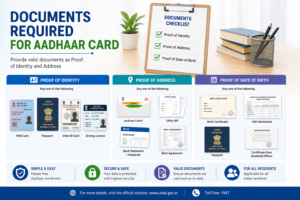
- Provide your Aadhaar number or enrollment details.
- Complete biometric verification using fingerprints or iris scan.
- Request a printed copy of Aadhaar.
Once the verification is completed, the operator can provide assistance in accessing the Aadhaar details.
Method 2: Update Mobile Number in Aadhaar
Another option is to update the mobile number linked with Aadhaar.
After updating the mobile number, residents can use the new number for OTP verification and download Aadhaar online.
The mobile number update process requires visiting an Aadhaar enrollment center.
The steps generally include:
- Visit an Aadhaar enrollment center.
- Fill out the Aadhaar update form.
- Provide the new mobile number.
- Complete biometric verification.
- Receive an acknowledgement receipt.
Once the mobile number is updated successfully, the resident can download Aadhaar from the UIDAI portal using OTP verification.
Method 3: Order Aadhaar PVC Card
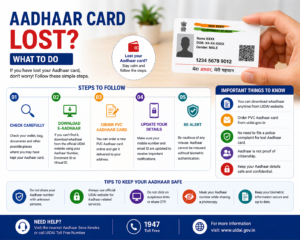
Residents who do not have access to their registered mobile number may also choose to order the PVC Aadhaar card through UIDAI services.
The PVC Aadhaar card is a durable, wallet-sized Aadhaar card printed on plastic material. It contains the same details as the regular Aadhaar card along with security features such as hologram and QR code.
In many cases, Aadhaar holders can request the PVC card and receive it through postal delivery.
This option is useful for residents who prefer a physical Aadhaar card instead of the digital version.
Method 4: Retrieve Aadhaar Details First
If the Aadhaar number itself is not known, residents can retrieve their Aadhaar number using UIDAI services.
The UIDAI portal provides a feature that allows residents to recover Aadhaar number or Enrollment ID using personal details and the registered mobile number.
If the mobile number is not accessible, the resident may need to visit an Aadhaar center to retrieve the details.
Once the Aadhaar number is known and the mobile number is updated, downloading the Aadhaar card becomes easier.
How to Download Aadhaar After Mobile Number Update
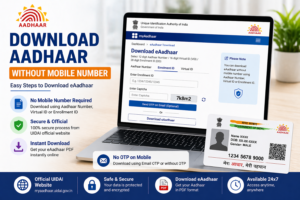
After updating the mobile number linked with Aadhaar, residents can download the Aadhaar card through the UIDAI website.
The process usually includes:
- Visit the UIDAI website.
- Navigate to the Aadhaar download section.
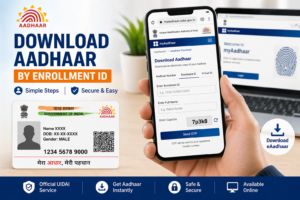
- Enter Aadhaar number, Enrollment ID, or Virtual ID.
- Enter captcha code.
- Verify using OTP sent to the updated mobile number.
- Download the Aadhaar PDF file.
Once downloaded, the Aadhaar file can be opened using the Aadhaar PDF password.
Benefits of Keeping Mobile Number Linked with Aadhaar
Linking a mobile number with Aadhaar offers several advantages.
Easy Access to Aadhaar Services
Many Aadhaar services require OTP verification through the registered mobile number.
Secure Authentication
OTP verification ensures that only the Aadhaar holder can access Aadhaar information.
Update Notifications
Residents receive notifications about Aadhaar updates and services.
Access to mAadhaar App
The registered mobile number allows residents to use the official mAadhaar mobile application.
Because of these benefits, it is recommended to keep the mobile number updated in Aadhaar records.
Common Problems Faced While Downloading Aadhaar
Residents who attempt to download Aadhaar without a registered mobile number may face certain challenges.
OTP Verification Failure
The most common issue is the inability to receive OTP messages due to an inactive or incorrect mobile number.
Lost Aadhaar Details
If the Aadhaar number or Enrollment ID is not available, downloading the Aadhaar card becomes difficult.
Incorrect Aadhaar Information
Errors in Aadhaar details may also cause difficulties in retrieving the Aadhaar card.
In most cases, visiting an Aadhaar center and updating the mobile number resolves these problems.
Tips for Managing Aadhaar Access
To avoid problems related to Aadhaar access, residents should follow some simple precautions.
Ensure that the mobile number linked with Aadhaar is active and accessible. If the number changes, update it at the Aadhaar enrollment center.
Keep a copy of the Aadhaar card stored safely on personal devices. Avoid sharing Aadhaar details with unknown individuals.
These precautions help ensure that Aadhaar services remain accessible and secure.
Related Aadhaar Services
After obtaining Aadhaar access, residents can use several other Aadhaar services including:
- Download Aadhaar card
- Check Aadhaar update status
- Update Aadhaar address
- Order PVC Aadhaar card
- Lock or unlock Aadhaar biometrics
These services allow residents to manage their Aadhaar information conveniently.
Frequently Asked Questions
Can Aadhaar be downloaded without registered mobile number
Direct download from the UIDAI website usually requires OTP verification through the registered mobile number.
What should I do if my Aadhaar mobile number is not active
You should visit an Aadhaar enrollment center and update your mobile number.
Can Aadhaar center help download Aadhaar
Yes, Aadhaar centers can assist residents in accessing their Aadhaar information after identity verification.
Is mobile number mandatory for Aadhaar services
Many Aadhaar services require OTP verification through the registered mobile number.
Conclusion
Although downloading Aadhaar directly from the UIDAI website usually requires a registered mobile number, residents still have several options to access their Aadhaar card if the mobile number is not available.
Visiting an Aadhaar enrollment center, updating the mobile number, or requesting a printed Aadhaar card are practical solutions for obtaining Aadhaar without mobile verification.
Keeping Aadhaar details updated and ensuring that a valid mobile number is linked with Aadhaar helps residents access Aadhaar services easily and securely whenever needed.
Disclaimer: The Aadhaar-related information provided on this website is for general informational purposes only. For official updates, services, and verified details, please visit the UIDAI official website.