
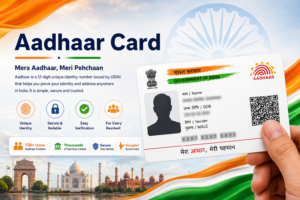

The Aadhaar card is one of the most widely used identity documents in India. Once an individual completes the Aadhaar enrolment process and receives the Aadhaar number, it becomes possible to download a digital version of the card from the official UIDAI portal. This digital copy is known as e-Aadhaar.
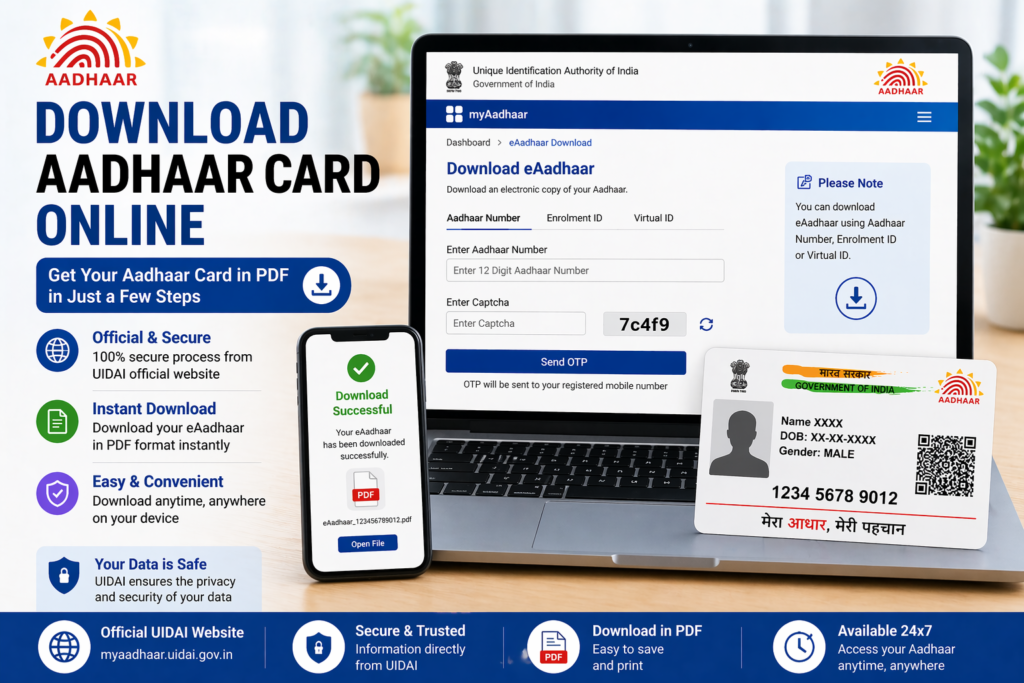
Many people prefer downloading Aadhaar online because it is quick, secure, and accessible anytime. The downloaded Aadhaar can be used as a valid identity document for many services including banking, mobile verification, and government schemes.
In this guide, you will learn how to download Aadhaar card online, the different methods available for downloading it, the password format for the Aadhaar PDF file, and solutions to common problems people face while downloading their Aadhaar card.
What is e-Aadhaar
e-Aadhaar is the electronic version of the Aadhaar card that can be downloaded from the official UIDAI website. It contains the same information as the physical Aadhaar card, including the Aadhaar number, demographic details, and a secure QR code.
The e-Aadhaar document is digitally signed by UIDAI and therefore has the same legal validity as the printed Aadhaar card.
Some important features of e-Aadhaar include:
- Digitally signed by UIDAI
- Contains a secure QR code
- Can be downloaded anytime
- Accepted as a valid identity document
- Protected with a password for security
Because it is stored digitally, residents can keep a copy on their phone or computer and use it whenever identity verification is required.
Why People Download Aadhaar Online
There are several situations where downloading Aadhaar online becomes useful.
For example, if someone has recently completed the Aadhaar enrolment process, the physical card may take some time to arrive by post. During this period, the e-Aadhaar can be downloaded and used as a valid identity document.
Similarly, if the original Aadhaar card is lost or damaged, downloading the digital copy helps in quickly accessing the Aadhaar details.
People also download Aadhaar after updating their information such as address or name so they can obtain the latest version of the card.
Downloading Aadhaar online offers several advantages:
- Instant access to Aadhaar card
- No need to wait for postal delivery
- Ability to download updated Aadhaar after corrections
- Easy to store and share digitally
Because of these benefits, many residents prefer using the digital version of Aadhaar.
Methods to Download Aadhaar Card
UIDAI allows residents to download their Aadhaar card using different identification details. This flexibility ensures that users can still access their Aadhaar even if they do not remember a specific number.
The three common methods to download Aadhaar are:
1. Download Using Aadhaar Number
If you already know your Aadhaar number, you can download the card directly by entering the number and verifying the OTP sent to your registered mobile number.
2. Download Using Enrollment ID
Residents who have recently applied for Aadhaar may not yet know their Aadhaar number. In such cases, they can download Aadhaar using the Enrollment ID (EID) mentioned on the acknowledgement slip received during enrolment.
3. Download Using Virtual ID
The Virtual ID (VID) is a temporary identification number generated from the Aadhaar number. It can be used as an alternative for downloading Aadhaar without sharing the actual Aadhaar number.
These options make it easier for residents to access their Aadhaar information securely.
Steps to Download Aadhaar Card Online
The process of downloading Aadhaar card online is simple and usually takes only a few minutes.
Follow these steps to download your Aadhaar card:
- Visit the official UIDAI website.
- Go to the section for Aadhaar services and select Download Aadhaar.
- Choose the preferred option to download Aadhaar using Aadhaar number, Enrollment ID, or Virtual ID.
- Enter the required number along with the captcha code displayed on the screen.
- Click on the option to receive a One Time Password (OTP) on the registered mobile number.
- Enter the OTP received on your mobile phone.
- After successful verification, download the Aadhaar PDF file.
Once downloaded, the file will be saved on your device.
Aadhaar PDF Password Format
The downloaded Aadhaar file is password protected to ensure that the information remains secure.
To open the Aadhaar PDF file, you must enter a password that follows a specific format.
The password consists of:
First four letters of your name in capital letters + year of birth
Example:
Name: Amit Sharma
Year of Birth: 1992
Password: AMIT1992
This password format ensures that only the rightful owner of the Aadhaar card can access the file.
Information Available in e-Aadhaar
The e-Aadhaar contains the same information as the physical Aadhaar card.
Some of the details included in the document are:
- Aadhaar number
- Name of the resident
- Photograph
- Gender
- Date of birth
- Address
- Secure QR code for verification
Because the e-Aadhaar contains the same information as the printed Aadhaar card, it is considered equally valid for most identity verification purposes.
When You Should Download Aadhaar Again
There are certain situations when downloading a fresh copy of Aadhaar is recommended.
For example, after updating personal information such as address, name, or mobile number, downloading the updated Aadhaar ensures that the new details are reflected correctly.
Similarly, if the Aadhaar card is lost, damaged, or misplaced, downloading the digital version helps restore access to Aadhaar information quickly.
Residents may also download Aadhaar when they need to submit a copy for official documentation or verification purposes.
Common Issues While Downloading Aadhaar
Although the download process is straightforward, some users may encounter certain difficulties.
Below are some common problems and possible solutions.
OTP Not Received
If the OTP is not received, it may be due to network issues or an outdated mobile number linked with Aadhaar. Waiting for a few minutes and requesting a new OTP usually resolves the issue.
Mobile Number Not Registered
OTP verification requires a registered mobile number. If the mobile number is not linked with Aadhaar, residents must visit an Aadhaar enrollment center to update their mobile number.
Incorrect Aadhaar Details
Entering incorrect Aadhaar number, Enrollment ID, or captcha code can prevent the download process. Carefully entering the details usually resolves this problem.
Aadhaar PDF Not Opening
If the Aadhaar PDF file does not open, it may be due to entering the wrong password format. Make sure the password uses the correct combination of name and birth year.
Is e-Aadhaar Valid as Original Aadhaar
Yes, the e-Aadhaar downloaded from the UIDAI portal is digitally signed and legally valid.
Government authorities and institutions accept e-Aadhaar as a valid identity document. It contains the same details and security features as the physical Aadhaar card.
Therefore, residents can use e-Aadhaar for many purposes such as identity verification, documentation, and service registration.
Security Tips While Downloading Aadhaar
Since Aadhaar contains sensitive personal information, it is important to follow certain security precautions while downloading and storing it.
Some useful security tips include:
- Always download Aadhaar from the official UIDAI website.
- Avoid using public computers to download Aadhaar.
- Do not share the Aadhaar PDF password with others.
- Store the downloaded file securely on your device.
- Avoid sharing Aadhaar details unnecessarily.
Following these practices helps protect personal information from misuse.
Benefits of Keeping e-Aadhaar
Keeping a digital copy of Aadhaar offers several practical advantages.
Residents can access Aadhaar instantly without searching for the physical card. It can also be easily shared when required for documentation or verification purposes.
Some benefits include:
- Easy access from phone or computer
- Quick submission for verification processes
- No risk of losing the original card
- Ability to download updated Aadhaar anytime
Because of these advantages, many residents prefer storing a digital copy of Aadhaar along with the physical card.
Frequently Asked Questions
Can I download Aadhaar without Aadhaar number
Yes, Aadhaar can also be downloaded using the Enrollment ID provided during the enrolment process.
Is e-Aadhaar valid everywhere
Yes, e-Aadhaar is digitally signed by UIDAI and is accepted as a valid identity document.
Can Aadhaar be downloaded multiple times
Yes, Aadhaar can be downloaded multiple times from the UIDAI portal whenever needed.
What if I forget my Aadhaar number
If the Aadhaar number is forgotten, residents can retrieve it using their registered mobile number on the UIDAI website.
Conclusion
Downloading Aadhaar card online is a simple and convenient process that allows residents to access their identity document anytime. The e-Aadhaar serves as a valid digital copy of the Aadhaar card and can be used for various identity verification purposes.
By following the steps outlined in this guide, residents can easily download their Aadhaar using Aadhaar number, Enrollment ID, or Virtual ID. Keeping a secure digital copy of Aadhaar ensures that important identity information is always accessible whenever needed.