

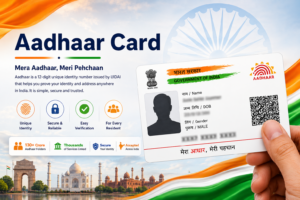

The Aadhaar card is widely used as proof of identity and address in India. Because Aadhaar information is used for many official processes such as banking, government schemes, and identity verification, it is important that the details mentioned in the Aadhaar record are accurate.
Sometimes a person may notice that the name printed on their Aadhaar card is incorrect or needs to be updated. This can happen due to spelling mistakes during the enrolment process, changes in personal details after marriage, or differences between Aadhaar and other identity documents.

The Unique Identification Authority of India (UIDAI) allows residents to correct or update their name in Aadhaar records. The process ensures that Aadhaar information matches official identity documents and avoids problems during verification.
This guide explains how to correct the name in Aadhaar card, the documents required, and the steps involved in the name update process.
Why Aadhaar Name Correction May Be Required
Correct personal details in Aadhaar are important because the Aadhaar number is often used for authentication and documentation purposes. If the name in Aadhaar does not match other identity documents, it may cause inconvenience in certain situations.
Some common reasons why residents request Aadhaar name correction include:
- Spelling errors in the name during Aadhaar enrolment
- Differences between Aadhaar name and name in other documents
- Name change after marriage
- Updating full name instead of initials
- Correcting typographical errors in Aadhaar records
Updating the name ensures that Aadhaar information remains consistent with other official documents.
Ways to Update Name in Aadhaar
UIDAI provides options for updating Aadhaar details through the official portal and through Aadhaar enrollment centers.
The name correction process can usually be completed through one of the following methods.
Online Name Update
Residents who have a mobile number registered with Aadhaar can submit a name correction request through the UIDAI portal. OTP verification is required to confirm identity.
Update at Aadhaar Enrollment Center
Residents may also visit an Aadhaar enrollment center or Aadhaar Seva Kendra to request a name correction. At the center, biometric verification is used to confirm the identity of the Aadhaar holder.
Both methods allow residents to update the name in the Aadhaar database.
Documents Required for Aadhaar Name Correction
When requesting a name correction, residents must provide valid documents that confirm the correct name.
Some commonly accepted documents include:
- Passport
- PAN card
- Voter ID card
- Driving license
- Government identity card
- Bank passbook with photograph
The document should clearly display the correct name of the Aadhaar holder. Providing accurate documents helps ensure that the update request is processed smoothly.
Steps to Update Name in Aadhaar Online
Residents whose mobile number is linked with Aadhaar can submit a name correction request through the UIDAI portal.
The process usually involves the following steps.
Step 1: Visit the UIDAI Website
Open the official UIDAI website using a secure internet connection.
Step 2: Select Aadhaar Update Option
Navigate to the section that allows residents to update Aadhaar details.
Step 3: Enter Aadhaar Number
Enter the Aadhaar number along with the captcha code displayed on the screen.
Step 4: Verify Using OTP
An OTP will be sent to the registered mobile number. Enter the OTP to continue.
Step 5: Enter Correct Name
Enter the correct name exactly as it appears in the supporting document.
Step 6: Upload Supporting Document
Upload a scanned copy of the identity document that confirms the correct name.
Step 7: Submit the Request
After submitting the request, a confirmation message will appear along with an Update Request Number (URN).
This number can be used to track the status of the request.
Steps to Update Aadhaar Name at Enrollment Center
If the mobile number is not registered or if residents prefer in-person assistance, the name correction can be done at an Aadhaar enrollment center.
The process generally includes the following steps.
- Visit the nearest Aadhaar enrollment center.
- Fill out the Aadhaar update form.
- Enter the correct name and Aadhaar number.
- Submit supporting identity documents.
- Complete biometric verification.
- Pay the applicable service fee.
After the request is submitted, the operator provides a receipt containing the Update Request Number.
How to Check Aadhaar Name Update Status
Once the name correction request has been submitted, residents can check the status of the update online.
To track the update request:
- Visit the UIDAI website.
- Navigate to the Aadhaar update status section.
- Enter the Update Request Number provided during submission.
- Enter the captcha code and submit the request.
The system will display whether the update request is under review, approved, or rejected.
How Long Aadhaar Name Correction Takes
The time required for Aadhaar name correction depends on the verification process carried out by UIDAI.
In many cases, the update may be completed within a few days, although the exact time may vary depending on document verification and processing requirements.
Residents can periodically check the update status online using the Update Request Number.
Things to Remember While Updating Aadhaar Name
Before submitting a name correction request, residents should ensure that the correct spelling of the name is entered.
The name should match the supporting identity document provided for verification. Uploading clear and readable documents helps avoid delays in processing.
Residents should also keep the update receipt safe until the update is successfully completed.
After the update is approved, it is advisable to download the updated e-Aadhaar to verify that the corrected name appears correctly.
Related Aadhaar Services
After updating the name in Aadhaar, residents may also use other Aadhaar services such as:
- Download Aadhaar card
- Check Aadhaar card status
- Update Aadhaar address
- Update mobile number in Aadhaar
- Order PVC Aadhaar card
Keeping Aadhaar information accurate ensures smooth access to these services.
Frequently Asked Questions
Can Aadhaar name be corrected online
Yes, Aadhaar name correction can be requested online if the mobile number is registered with Aadhaar.
What documents are required for name correction
Identity documents such as passport, PAN card, voter ID, or driving license can be used as proof.
How long does Aadhaar name update take
The update may take several days depending on the verification process.
Can Aadhaar name be corrected at Aadhaar center
Yes, residents can visit an Aadhaar enrollment center to request name correction.
Explore Aadhaar Card Guides
Choose a guide for enrolment, download, update, status, security, linking or Aadhaar centres.
Conclusion
Correcting the name in Aadhaar is important to ensure that identity records remain accurate and consistent with other official documents. UIDAI provides convenient options that allow residents to update their name either online or through Aadhaar enrollment centers.
By following the correct procedure and submitting valid documents, residents can easily update their Aadhaar name and avoid problems during identity verification for various services.