

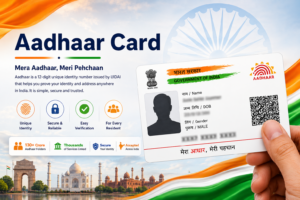

Aadhaar has become one of the most widely used identity systems in India. Issued by the Unique Identification Authority of India (UIDAI), Aadhaar provides residents with a unique identification number that can be used for many services including banking, government schemes, and digital verification.

Since Aadhaar contains sensitive personal information such as biometric and demographic data, the system is designed with multiple security layers to protect the identity of residents. UIDAI has implemented advanced technologies and strict security protocols to ensure that Aadhaar data remains safe and cannot be misused.
These security measures include encrypted biometric storage, secure authentication methods, and tools that allow residents to control how their Aadhaar information is used.
This guide explains the key security features of Aadhaar, how UIDAI protects personal data, and how residents can safeguard their Aadhaar identity.
Importance of Aadhaar Security
The Aadhaar system contains important identity information about individuals. Protecting this data is essential to maintain trust in the system.
Security measures in Aadhaar help achieve several goals.
- Protect personal information of residents
- Prevent unauthorized access to Aadhaar data
- Ensure secure authentication processes
- Maintain the integrity of the Aadhaar database
UIDAI has built the Aadhaar infrastructure with strong security mechanisms to ensure that identity information is protected.
Secure Aadhaar Data Storage
One of the most important security features of Aadhaar is the secure storage of personal information.
All demographic and biometric data collected during Aadhaar enrollment is stored in a centralized database known as the Central Identities Data Repository (CIDR).
This database is protected using multiple security layers including:
- Data encryption
- Controlled access systems
- Secure network infrastructure
Only authorized systems are allowed to access the Aadhaar database, ensuring that resident data remains protected.
Biometric Security Protection
Aadhaar uses biometric data such as fingerprints and iris scans for identity verification. Because biometric data is highly sensitive, UIDAI uses advanced security technologies to protect it.
Biometric information is stored in encrypted form in the Aadhaar database.
When biometric authentication is performed, the system compares encrypted biometric data with the stored information to confirm identity.
This ensures that biometric data cannot be easily accessed or misused.
Aadhaar Virtual ID (VID)
The Aadhaar Virtual ID is one of the most important privacy features introduced by UIDAI.
A Virtual ID is a temporary 16-digit number that can be used instead of the actual Aadhaar number for authentication.
Residents can generate a Virtual ID through the UIDAI website or mobile application.
Using a Virtual ID allows individuals to verify their identity without sharing their Aadhaar number, which helps improve privacy protection.
OTP-Based Authentication
Aadhaar authentication often uses One Time Password (OTP) verification.
When OTP authentication is used, the system sends a temporary password to the mobile number registered with Aadhaar.
The user must enter this OTP to complete identity verification.
This method ensures that only the person who has access to the registered mobile number can perform Aadhaar authentication.
OTP authentication is commonly used for services such as:
- Downloading Aadhaar card
- Checking Aadhaar status
- Linking Aadhaar with bank accounts
Biometric Lock and Unlock Feature
UIDAI provides a security feature that allows residents to lock or unlock their biometric data.
When biometrics are locked, fingerprint or iris authentication cannot be used without the resident’s permission.
This feature protects individuals from unauthorized biometric authentication.
Residents can unlock biometrics temporarily when they need to use Aadhaar-based biometric verification.
This gives users greater control over their Aadhaar security.
Aadhaar Authentication History
Another useful security feature is the ability to check Aadhaar authentication history.
Residents can view records of authentication attempts made using their Aadhaar number.
This allows individuals to monitor when and where their Aadhaar identity was used for verification.
If a resident notices any suspicious authentication activity, they can take action such as locking their biometric data.
This feature helps increase transparency and security.
QR Code Verification
Every Aadhaar card contains a secure QR code that allows quick verification of Aadhaar details.
The QR code stores encrypted demographic information about the Aadhaar holder.
Authorized organizations can scan the QR code to verify identity without accessing the central Aadhaar database.
This method allows offline verification of Aadhaar details while maintaining security.
Limited Data Sharing
UIDAI follows strict policies regarding data sharing.
During Aadhaar authentication, only minimal information required for verification is shared with the requesting service provider.
For example, when Aadhaar authentication is performed, the system may only confirm whether the identity is valid or not.
Sensitive personal data is not shared unnecessarily.
This ensures that Aadhaar information remains protected.
Secure Aadhaar Enrollment Process
The Aadhaar enrollment process itself includes several security measures.
Enrollment centers are authorized and monitored by UIDAI.
During enrollment:
- Biometric data is captured securely
- Demographic information is verified
- Data is encrypted before being transmitted to the central database
These steps ensure that only genuine residents receive Aadhaar numbers.
Aadhaar Masking Feature
UIDAI provides a feature called Masked Aadhaar to protect privacy.
In masked Aadhaar documents, only the last four digits of the Aadhaar number are visible, while the remaining digits are hidden.
This version of Aadhaar can be used for identity verification without revealing the full Aadhaar number.
Masked Aadhaar helps reduce the risk of identity misuse.
Resident Control Over Aadhaar Data
UIDAI allows residents to manage and control how their Aadhaar information is used.
Residents can perform several actions through UIDAI services.
These include:
- Locking and unlocking biometric data
- Generating Virtual ID
- Checking authentication history
- Updating personal details
These features give individuals greater control over their Aadhaar security.
Protection Against Fraud
The Aadhaar system includes mechanisms designed to prevent fraud.
Because biometric data is unique for every individual, it is difficult for someone else to impersonate an Aadhaar holder.
Additionally, UIDAI monitors authentication requests and system activity to detect suspicious patterns.
These safeguards help protect Aadhaar identities from misuse.
Tips for Protecting Your Aadhaar Information
Although UIDAI provides strong security features, residents should also follow basic precautions to protect their Aadhaar information.
Some useful practices include:
- Avoid sharing Aadhaar number with unknown sources
- Use Virtual ID instead of Aadhaar number when possible
- Lock biometric data when not required
- Check authentication history regularly
- Download Aadhaar only from official UIDAI services
These steps help reduce the risk of identity misuse.
Frequently Asked Questions
Is Aadhaar data secure
Yes, Aadhaar data is protected using encryption and secure authentication systems.
What is Aadhaar Virtual ID
Virtual ID is a temporary number that can be used instead of the Aadhaar number for authentication.
Can I lock my Aadhaar biometric data
Yes, UIDAI allows residents to lock and unlock biometric authentication.
How can I check if my Aadhaar was used for authentication
You can check Aadhaar authentication history through UIDAI services.
Explore Aadhaar Card Guides
Choose a guide for enrolment, download, update, status, security, linking or Aadhaar centres.
Conclusion
Security is one of the most important aspects of the Aadhaar system. UIDAI has implemented multiple layers of protection to safeguard personal identity data and prevent unauthorized access.
Features such as biometric encryption, Virtual ID, OTP authentication, and biometric locking allow residents to control how their Aadhaar information is used.
By combining advanced technology with strict data protection policies, Aadhaar provides a secure and reliable identity verification system for residents across India.